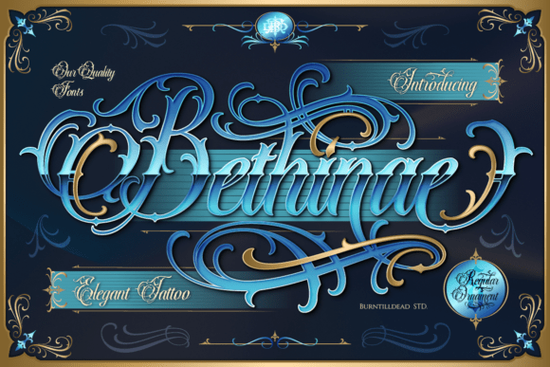
If you’re looking for a script font that carries serious presence something that feels both elegant and grounded, decorative but never fussy you’ll want to take a closer look at Bethinae Font. It’s not just another calligraphic option. Bethinae stands out because it blends tattoo-style confidence with the structural weight of blackletter, giving you a versatile display font that works equally well on a vintage barbershop sign or a limited-edition streetwear tee.
What makes Bethinae different from other script fonts?
Most script fonts lean heavily into either soft romance or sharp modernity but Bethinae sits confidently in the middle. Its letterforms are built on bold, intentional strokes reminiscent of traditional blackletter, yet softened with organic flourishes and rhythmic swirls. Think of it as blackletter reimagined for today’s visual language: less gothic manuscript, more curated studio logo.
The family includes two distinct styles: Regular and Ornaments. The Regular version gives you full character sets including ligatures and alternates for clean, readable headlines and short phrases. The Ornaments style isn’t just decorative extras; it’s a set of standalone glyphs designed to layer, frame, or punctuate your layout. Use them as dividers, corner accents, or background textures to add depth without clutter.
Where does Bethinae work best?
This font shines where personality matters more than neutrality. Barbershops, tattoo studios, and custom car garages often need typography that signals authenticity and craft not trendiness. Bethinae delivers that tone without feeling dated or overly aggressive. It also fits naturally in streetwear branding, especially for collections with a moody, elevated aesthetic (think charcoal hoodies with foil-stamped chest logos, or vinyl sticker packs with gritty-but-polished lettering).
Because it’s a display font not meant for body text it pairs well with simple sans-serifs or even contrasty serifs. Try pairing Bethinae Regular with a sturdy geometric sans like Montserrat for balance, or layer it over a textured halftone background for print-on-demand merch.
How does it compare to similar blackletter-inspired fonts?
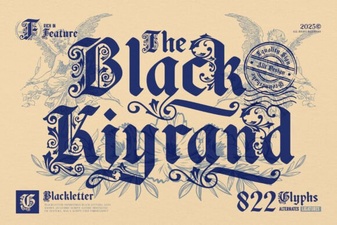
If you’ve used Black Kiyrand Font, you’ll notice Bethinae has more fluid movement and less rigid angularity. Where Black Kiyrand leans into high-contrast, almost architectural blackletter, Bethinae introduces rhythm and breath especially in its swashes and connecting strokes.
Compared to Harry Poster Regular Font, Bethinae trades some of that vintage poster boldness for a more contemporary, tactile feel like ink pressed slightly unevenly into thick paper. It’s less “vintage circus” and more “late-night studio session.”
You can explore more options in the Bethinae Font collection directly, where you’ll find licensing details, preview tools, and usage examples tailored for designers and small business owners.
Practical tips before you download
- Test spacing first: Script fonts like Bethinae rely on tight tracking for impact but too tight can hurt readability. Adjust letter-spacing slightly if using it at smaller sizes (e.g., 24–36pt for web banners).
- Use Ornaments intentionally: Don’t scatter them randomly. Try aligning ornaments along baseline extensions, or use them as bullet points in a minimalist list (e.g., service offerings on a tattoo studio site).
- Check file formats: Bethinae includes OTF and WOFF2, so it works smoothly in design apps and web projects alike. No extra conversion needed.
- Licensing is straightforward: One license covers commercial use across digital, print, and merch as long as it’s under your own brand or client project (not resold as part of a template pack).
One last note: If you're building a cohesive brand identity, consider how Bethinae interacts with your color palette. Its dark, luxurious vibe pairs especially well with deep navy, charcoal, burnt umber, or metallic gold not just black and white. A subtle gradient overlay on the font (like a soft duotone) can reinforce that “elegant gangster tattoo” mood without overcomplicating things.
Next step: Open your design tool, type out your brand name or tagline in Bethinae Regular, then toggle in one ornament glyph beside the first letter. See how much weight and character it adds before you even choose colors or layout.
Download Now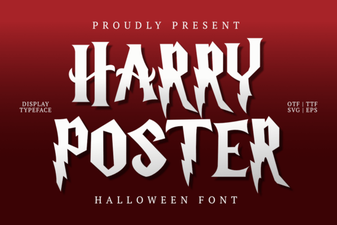 Harry Poster Regular: Bold & Playful Font for Creative Projects
 Black Kiyrand Font: Bold & Expressive Design
 Biggie Stencil Font: Bold & Creative Design Tool
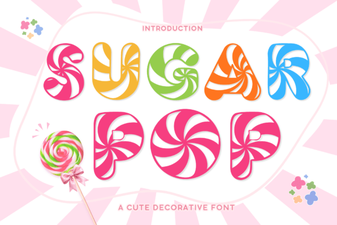 Sugar Pop Font: Playful & Versatile Design Tool
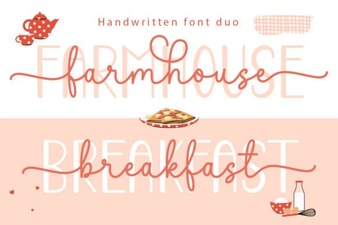 Farmhouse Breakfast Duo Font: Rustic & Playful Typography
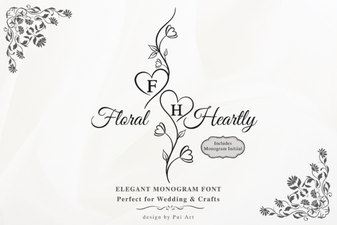 Floral Heartly Monogram Font: Elegant Design Ideas